Step 1
Measure pupillary distance
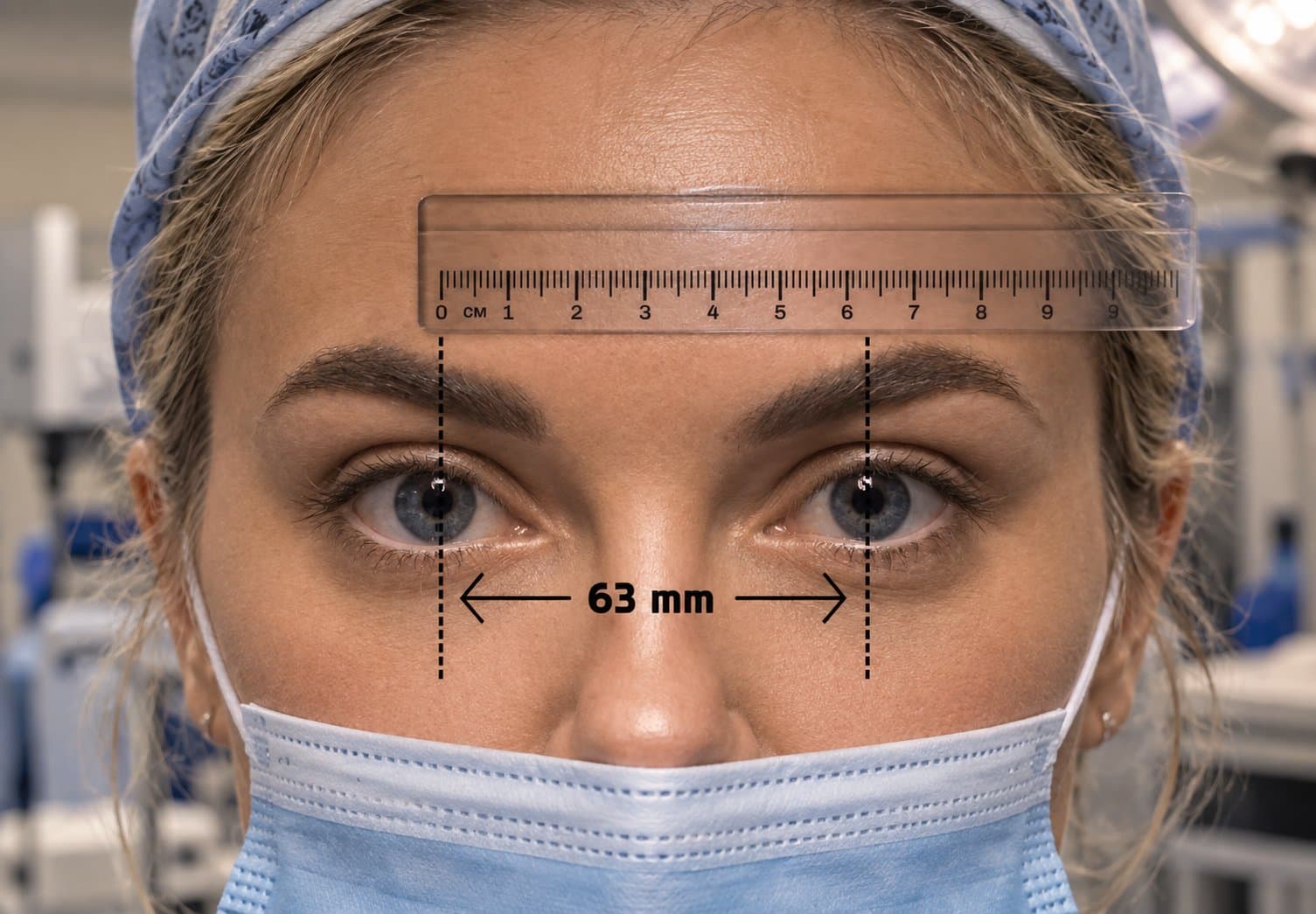
Pupillary distance is the gap between the centres of your pupils, in millimetres. It determines where the two optical barrels converge, so it carries the least tolerance of any measurement here — aim to be within 1 mm. Use a well-reviewed smartphone PD app, or hold a ruler across your brow in good lighting and read the distance between pupil centres while looking straight ahead at a fixed point several metres away. Take the measurement three times and use the average; a single reading is where most errors come from. If you have an eyeglass prescription from the last couple of years, the PD is often printed on it already, and an optician-measured PD is more reliable than either method above.
The quickest accurate way to measure PD at home is a dedicated measurement app. We recommend these two:
Free · iPhone and iPad (iOS 17 or later)
The Framery (formerly GlassesOn)
By 1-800 Contacts, originally developed by 6over6 Vision
Hold any card the size of a credit card flat against your forehead for scale. The app uses your front camera and voice prompts to measure your PD in under a minute.
- Registered with the FDA as a Class I exempt medical device.
- Clinically tested to the ANSI Z80.17 standard: PD within 2 mm.
Free · iPhone X or newer, and iPads with Face ID
EyeMeasure
By Bonlook
Uses the Face ID (TrueDepth) depth camera, so you need no card, mirror or ruler. Hold the phone about 30 cm from your face. It reports near and far PD.
- The developer states accuracy to within 0.5 mm.
- Works only on devices with a Face ID camera.
Take three readings and use the average. Loupes need PD within about 1 mm, which is tighter than the 2 mm tolerance used for everyday glasses, so repeat readings matter.
On Android? Neither app is currently on Google Play. Use an optician-measured PD, the PD printed on a recent glasses prescription, or the ruler method described on our measurements page.
Pupillary distance